MT5 · code and request checks
MT5 error 10015 invalid price: decimals are not the price grid
Your price can have 2 decimals and still miss the symbol's allowed price step.
Arnold Holm · 2026-10-15
What the error means
Error 10015 identifies an invalid price in an MT5 trade request. A trader asked why closing a gold position in a backtest produced this code despite changing deviation. The discussion traced that particular historical case to prices inconsistent with the symbol step. It is a useful reason to inspect the actual request before changing strategy rules. I ran a separate, read-only arithmetic example in MT5 with a deliberately chosen price step of 0.25. A price of 100.13 kept two decimal places but sat between legal steps. Rounding by the chosen step produced 100.25, which passed my local grid check. Zero was rejected as well. I compare the submitted price with the symbol's minimum price step before changing the signal.
Three code paths to check
1. Displayed decimals are mistaken for tradable increments
The number of decimal places controls how a price is represented. The minimum price step controls its allowed increments. Those two values can differ. A display with two decimals can show 100.13 even when the chosen grid advances by 0.25. Calling NormalizeDouble with two digits leaves that number unchanged. In my example it still failed the grid check. Read SYMBOL_TRADE_TICK_SIZE for the actual symbol instead of copying the example step or assuming that every point is tradable.
2. The request contains zero, an old quote or the wrong price
Save the price that actually reached the request. Compare it with Bid, Ask, order type and timestamp from the same event. A later chart screenshot cannot establish what the request used. A missing quote or failed calculation can leave zero in a field. An old quote can belong to a different market state. Price requirements also depend on the request action and execution mode. Check the relevant API requirements before adding or removing a price field. Do not treat a blanket price-rounding helper as a complete order repair.
3. Rounding moves a level without rechecking its meaning
Nearest-step rounding can move a pending entry, stop or target in the wrong direction for the intended rule. The example below shows a number-grid check only. Before using any adjusted level, recheck its required side, distance and the strategy's original intent. Capture the trade check and final request results separately. A locally valid grid does not establish that the server will accept a request or that an order will execute. Increasing deviation does not explain an incorrect price increment.
Three read-only price-grid cases run in MT5
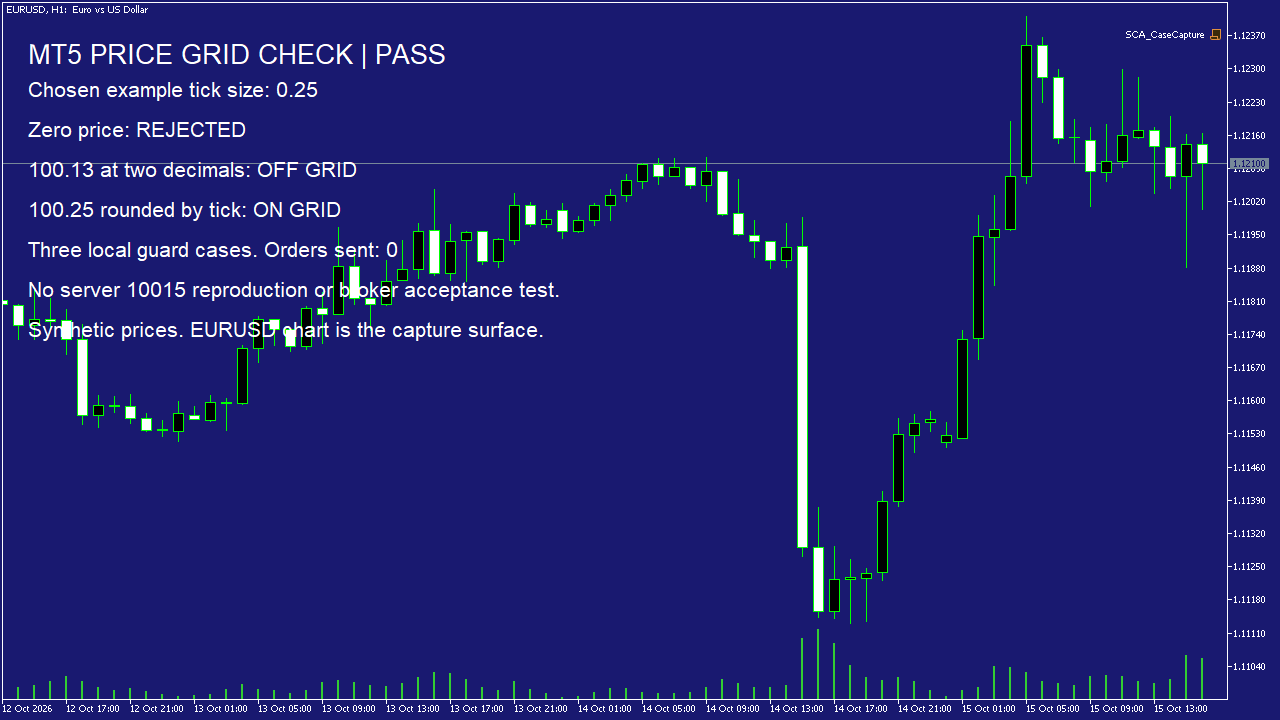
The native log records all three cases: zero rejected, 100.13 off the chosen grid and 100.25 on it. The screenshot was captured on an EURUSD chart, which served only as the display surface. The 0.25 step and example prices were supplied by the script, not read from that symbol. For your own check, record the real symbol step and evaluate the submitted level against it. Keep the original price in the log so any adjustment remains visible.
bool OnGrid(double price,double tick) {
   return price>0 && tick>0 &&
      MathAbs(price/tick-MathRound(price/tick))<0.000001;
}
// Chosen arithmetic example, not a broker symbol setting.
double tick=0.25;
double raw=NormalizeDouble(100.13,2);
double rounded=NormalizeDouble(MathRound(raw/tick)*tick,2);
// OnGrid(0,tick): false
// OnGrid(raw,tick): false
// OnGrid(rounded,tick): true
This synthetic arithmetic demonstration sent zero orders. It did not reproduce a server 10015 rejection or test broker acceptance.
How you know it is fixed
Zero remains blocked
The local guard rejects zero before any request. A missing price must stay visible as a failed input, rather than quietly becoming another level.
Decimal formatting and tick alignment are checked separately
100.13 remains off the chosen 0.25 grid after two-decimal normalization. The tick-rounded 100.25 passes the same local check.
Your five-minute request check
Open one rejected request. Save its price, symbol price step, Bid, Ask, order type and timestamp from the same event. Compare those values before editing the signal or widening deviation.
Your own source
Find the next line to check
Start with the free EA-Check. Your code stays in your browser. It highlights patterns with line numbers; it does not prove the broker accepts an order.
Want one small change shown on your own case?
SOLVED-FIRST: one small fix or change to your own case, shown first as screenshots or a short screen video. 15 USD fixed (or the higher platform minimum), first five paid orders only during 4–17 October 2026. The file follows within 24 hours after funding. Close on Upwork first; marketplace cases stay on their marketplace.
Outside that sprint: R49: one authorised, reproducible MT4/MT5 defect, with three agreed cases. 49 USD fixed. Delivery within 48 hours after source review and funding. The exact case is agreed before funded work.
Send the expected and actual behaviourRelated checks
Common questions
Does NormalizeDouble fix every invalid price?
No. Decimal precision and the symbol price step are separate checks. Request type, current quote and other symbol rules still matter.
Does a grid-check pass mean my order will be accepted?
No. It establishes only the local arithmetic condition. Keep request validation, server return codes and actual execution as separate checks.
Sources and limits
- Trader discussion: invalid-price failures when closing in a backtest
- Official MQL5 symbol properties, including minimum price change
- Official MT5 trade server return codes
- Own native MT5 read-only arithmetic log
These public questions explain the error; use your own EA log to check whether the same cause applies.