Help with your bot
Enter your account number on the setup page. You can add it later there.
MT4 / MT5 installation
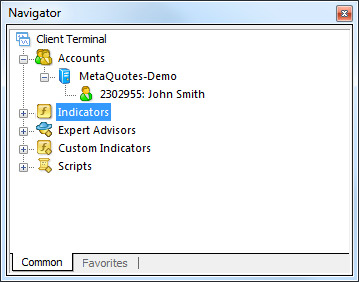
Open File → Open Data Folder. Put .ex4 in MQL4/Experts or .ex5 in MQL5/Experts. Restart the platform. In Navigator, open Expert Advisors and choose the bot.
Strategy Tester
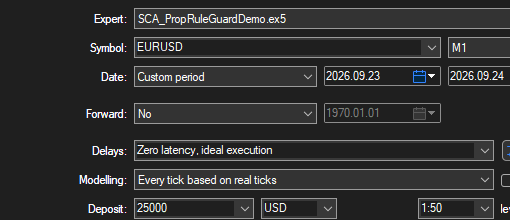
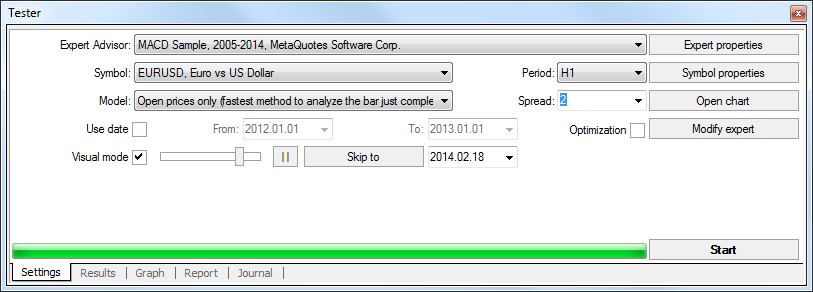
Open View → Strategy Tester. Select your bot, market and date range. In MT5 choose Every tick based on real ticks. Start, then compare each entry, stop and exit with your rule. The screenshot shows our own MT5 example.
MT5
MT4
Unlock an account / add an account
Enter your account number on the setup page. You can add it later there.
Change a rule
Reply with the old rule, the new rule and a trade example. The first change within 30 days is included. Later changes follow the catalogue; I confirm scope before work.
Refund
Within 30 days of your website purchase, reply to your payment email asking for your money back. No reason required. Use the withdrawal form below for a statutory withdrawal.
Contact
Never send a trading password. An account number is enough for licensing.
Usually within 2 hours, 06:00–24:00 Berlin time.
contact@stratcorealpha.com