MT5 · code and request checks
MT5 EA not opening trades: trace the first missing step
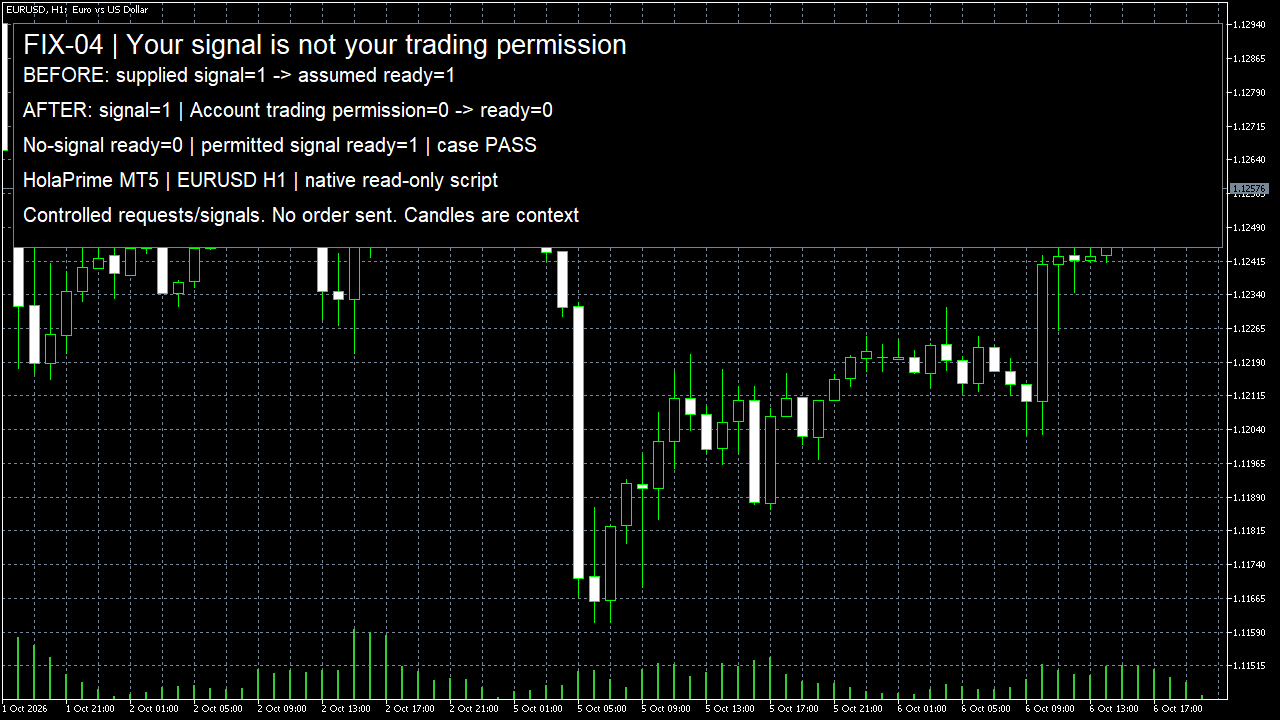
Your EA can find a signal of 1 while account permission is 0, so no trade request should leave it. My supplied signal was ready, but the corrected request check stayed at 0. This was a read-only script, with no orders.
Arnold Holm · 2026-10-06
What the error means
I check the account permission separately from the entry signal before allowing an order request. Open one missed entry in your Journal and compare the signal value with the account trading permission recorded at that moment. I ran the page’s context logger in an isolated HolaPrime MT5 terminal without a connected trading account. The old decision checked only a supplied signal and called it ready. That signal was true, written as 1 in the log. The actual account trading-permission read was false, written as 0. I then used a gate that requires both the signal and permission. It returned request-ready 0 and stopped the path. I also called the gate with no signal but permission allowed, and with both inputs allowed. Those controlled inputs returned 0 and 1 respectively. They test the gate; they do not change the terminal’s permission. The screenshot shows the distinction. This was a script with supplied signals, not an EA waiting for OnTick or a strategy run. The useful part for your EA is the saved reason for stopping. Instead of seeing an empty trade list and guessing, you can ask whether your entry condition was false, whether trading was blocked, or whether a sent request was rejected. Only move to the next question once the preceding line is present. An Expert Advisor is a program that applies your trading rules in MetaTrader. No new position is an result, not an error code. Preserve the journal, symbol, decision time and exact source version before deciding whether the fault is in the rule, the environment or the order path.
Three code paths to check
1. The intended event or eligible signal never arrived
OnTick is driven by ticks of the chart symbol where the EA is attached. A multi-symbol strategy must define how it receives and checks other symbols. Record the decision time, symbol, required data and the reason each entry condition passed or failed. Disabling AutoTrading does not stop OnTick; it prevents the EA from sending trading requests.
2. The terminal, EA or account blocks the request
Read terminal connectivity and trading permission, MQL_TRADE_ALLOWED, and the account permissions ACCOUNT_TRADE_ALLOWED and ACCOUNT_TRADE_EXPERT. Keep these as separate facts. A permission flag alone does not establish that the symbol, session, margin and intended order type allow the complete request. Do not change account permissions merely to hide the failed case.
3. A successful function call was mistaken for execution
Keep the populated request and the MqlTradeResult.retcode and comment. OrderSend returning true means the basic request checks passed; it is not proof of an executed deal. Check the relevant trade transaction and the intended order or position. Do not automatically send a second request because a position was not immediately visible.
Own pattern: record the permissions without sending an order
Call this beside the decision path in your authorised source. Add your own rule-specific pass/fail reasons before the existing request call. This helper reads and prints context only. It does not enable trading, place orders, modify stops or retry a request.
void LogTradingContext(const string symbol)
{
   Print("symbol=", symbol,
         " decision_time=", TimeToString(TimeCurrent(), TIME_DATE|TIME_SECONDS));
   Print("connected=", TerminalInfoInteger(TERMINAL_CONNECTED),
         " terminal_trade=", TerminalInfoInteger(TERMINAL_TRADE_ALLOWED),
         " ea_trade=", MQLInfoInteger(MQL_TRADE_ALLOWED));
   Print("account_trade=", AccountInfoInteger(ACCOUNT_TRADE_ALLOWED),
         " account_expert=", AccountInfoInteger(ACCOUNT_TRADE_EXPERT));

   long trade_mode = 0;
   ResetLastError();
   bool read = SymbolInfoInteger(symbol, SYMBOL_TRADE_MODE, trade_mode);
   int error = GetLastError();
   PrintFormat("symbol_mode_read=%s mode=%I64d terminal_error=%d",
               read ? "true" : "false", trade_mode, error);
}

bool RequestReady(bool signal,bool permission) { return signal && permission; }
This read-only EURUSD H1 script checks the shown request or signal path; your full EA still needs its own inputs, account checks and execution log.
How you know it is fixed
When it should continue: an eligible signal reaches the request path
The agreed demo sample supplies the required data and an eligible signal. The log identifies the decision and permissions, then the separately approved request path records the server result and resulting order or position. Compare those facts with the rule; do not accept a true function return alone.
When it should stop: no signal or trading not permitted
Keep the missing condition or permission visible. The entry path records that reason and creates no new request. No silent permission change, disabled protection or repeated submission is accepted as the fix.
Another case: another symbol ticks or the server result arrives later
For a multi-symbol rule, demonstrate the defined data/event path instead of assuming every symbol invokes this chart’s OnTick. For delayed execution, retain the original request identifier and follow its transaction. A missing immediate position must not create a duplicate request.
I can fix it for you
If the three agreed tests don't pass, you get your money back. I fix one authorised, reproducible MT4 or MT5 defect in readable source up to 500 lines. The fixed price is 49 USD. Delivery is within 48 hours after source review and funding.
Free demo of your fixCheck my EA locallyRequest a free demo of your fix
Related checks
Common questions
Should I enable AutoTrading and assume the issue is fixed?
First record whether trading was actually blocked. A changed permission cannot establish that the intended trigger, request or resulting position is correct. Test the agreed positive, negative and other cases.
Why does the tester work while the other environment does not?
The readings may use different symbols, event timing, history, account permissions or server responses. Preserve those differences and locate the first missing step. Do not infer a specific cause from the tester result alone.
Does no trade mean the strategy is unprofitable?
No. This guide concerns program behaviour and request state. It makes no claim about profit or challenge passing.
Sources and limits
- Observed buyer question: multi-currency EA works in tester but not live
- Official OnTick event and AutoTrading behaviour
- Official OrderSend result and later execution state
- Official program trading permission
- Official account properties
These public questions explain the error; use your own EA log to check whether the same cause applies.