MT4 · code and request checks
MT4 OrderModify error 1: skip a stop update that changes nothing
Your trailing stop can skip an unchanged update: my native MT4 test returned error 1 for the same stop, then error 0 after a real change.
Arnold Holm · 2026-10-23
What the error means
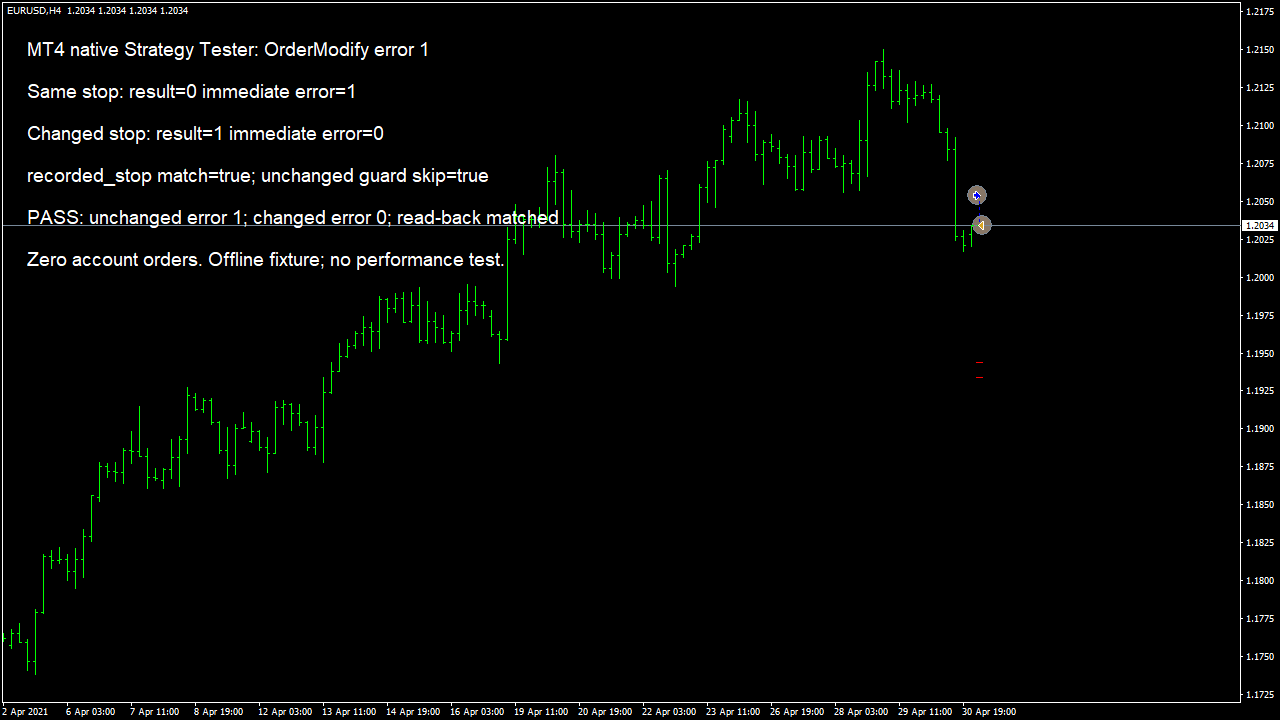
A trader asked why OrderModify kept reporting error 1 when moving a stop below the previous candle. The follow-up question was more specific: would keeping the stop unchanged also prevent a change to the profit target? Those are different requests. I compare the complete intended change before calling OrderModify. The official MQL4 reference calls error 1 ERR_NO_RESULT. Passing unchanged values can produce that result. It does not say that every field has to change. A different take-profit value can still be a meaningful update while the stop remains where it was. Open price and expiration are only changeable for pending orders, so a helper for a market position must keep that boundary explicit. I reproduced the unchanged-stop case in the native MT4 Strategy Tester on EURUSD H4. The test case first opened one simulated BUY with a stop at 1.1934. It called OrderModify with the same open price, stop and target. The function returned false and the immediately captured error was 1. It then moved the requested stop to 1.1944. That call returned true, the immediately captured error was 0, and a fresh order selection read back the requested stop. The last local check compared the saved stop with that same target again. It found no difference, so that branch had no reason to submit another modification. The simulated position was closed inside the tester. No order was sent to a demo or live account. This is a small software-behaviour check, not a trading result. A trailing calculation can run on many ticks while still producing the same valid target price. The candle low may be unchanged, or rounding to the symbol's price increment may remove a tiny difference. Printing an error on every tick then hides the useful information: what is stored now, what was requested, and whether those values really differ.
Three code paths to check
1. The calculated target is already stored
Read the selected order again, compute the intended target, and compare the resulting values before modifying. Record both values at the symbol precision rather than relying on a rounded chart label.
2. A stop-only comparison blocks another real change
If the request may also change take profit, compare that field too. An unchanged stop alone does not make the whole request unchanged. The native test case here only exercised the stop-change path; a take-profit-only change belongs in your separate checks.
3. An old error value is reported as the current result
Check the function return value. Clear the error before the attempt and capture GetLastError immediately after a failed call, before another function can replace it. Keep the full request and result together.
Compare the intended stop pair before the market-order path
This comparison expects valid prices already aligned to the symbol's allowed price increment. Zero can represent an absent stop or target. It checks both fields so a target-only change is not discarded by a stop-only guard. A false result means this helper does not request a modification; it is not an instruction to remove a stop. Use the actual order symbol's price increment, select the intended order successfully, and keep its current open price for a market-position modification. Then apply the separate stop-distance, freeze-distance, direction and account checks your request needs. A different price is not automatically an allowed price. The helper does not choose a stop, round a price, select an order or send a request. The screenshot shows the actual native tester test case, whose single-price comparison uses Point for this supplied EURUSD dataset. The reusable two-field helper is presented for review; it was not the function used by that test case. Do not read the picture as a runtime test of every branch in the helper.
bool StopPairChanged(double currentSL,double currentTP,
                     double targetSL,double targetTP,double tickSize)
{
   if(!MathIsValidNumber(tickSize) || tickSize<=0) return false;
   if(!MathIsValidNumber(currentSL) || !MathIsValidNumber(currentTP) ||
      !MathIsValidNumber(targetSL) || !MathIsValidNumber(targetTP)) return false;
   return MathAbs(currentSL-targetSL)>tickSize*0.5 ||
          MathAbs(currentTP-targetTP)>tickSize*0.5;
}
Native MT4 offline/default tester test case on supplied EURUSD H4 history, fixed 20-point spread. No broker acceptance, live execution or strategy performance is established.
How you know it is fixed
When it should skip: the full request is unchanged
Compare the freshly selected stop and target with the aligned intended values. With both equal, skip this update and leave the order alone. The test case shows the original unchanged call returning error 1, followed by this no-change comparison.
When there is a real candidate change
A changed stop or target passes only the difference check. Validate the rest of the request separately. After a successful modification, select the order again and compare the stored values with the intended request.
Your five-minute source check
Find OrderModify in your trailing branch. Print the selected ticket, current stop and target, intended stop and target, symbol increment and immediate result. Check that a target-only update is not lost behind a stop-only equality test.
Your own source
Find the next line to check
Start with the free EA-Check. Your code stays in your browser. It highlights patterns with line numbers; it does not prove the broker accepts an order.
Want one small change shown on your own case?
DEMO0: send the problem and try a free compiled demo first. R49: one authorised, reproducible MT4/MT5 defect in readable source up to 500 lines, with three agreed cases. 49 USD fixed. Delivery within 48 hours after source review and funding. The exact case is agreed before funded work.
Send the expected and actual behaviourRelated checks
Common questions
Does error 1 mean the trailing stop is broken?
It can mean that this call requested no change. Inspect the current and intended values before changing your trading logic.
Must both stop loss and take profit change?
No. One genuine parameter change can make the request meaningful. The unchanged-value condition concerns the request as a whole.
Does a true comparison guarantee a successful modification?
No. Stop distances, freeze rules, order state and server conditions still matter. Check the actual function result and stored order values.
Sources and limits
These public questions explain the error; use your own EA log to check whether the same cause applies.